Heading to DEF CON? Don’t Trust the Network
Every August, tens of thousands of security professionals flood Las Vegas for Black Hat, BSides, and DEF CON. The industry has spent the last two years obsessing over AI security, LLM jailbreaks, and prompt injection demos, so it’s almost refreshing to see threat actors going old-school: compromising physical network gateways, poisoning DNS at the source, and silently harvesting credentials from anyone who connects. This is the kind of low-tech, physical-layer attack the movies occasionally get right, and it’s happening right now. Cramming tens of thousands of corporate credentials into one city doesn’t make the Wi-Fi safer; it makes it a target
In July 2026, ReliaQuest published threat research documenting a campaign that compromises hotel and conference center Wi-Fi gateways to silently redirect guests to fake Microsoft 365 login pages. No phishing emails, no malicious attachments, and no endpoint compromise required. The attacker gains administrative access to the captive portal appliance, modifies its DNS configuration, and every guest who connects gets forged DNS responses. Queries for legitimate Microsoft authentication domains resolve to attacker-controlled IPs like 31.57.243[.]154, 104.194.159[.]150, and 38.146.28[.]75, which host impersonation pages at domains like owa-ms365[.]com and ms365-live[.]com, all registered under the email chikolimdrid[ at ]gmail[.]com.
UPDATE: Microsoft has provided additional information as well as attribution to Russia.
What ReliaQuest Found
This isn’t a lab demo or a red team exercise. Compromised gateways were identified across multiple US cities and internationally in India and Saudi Arabia, with activity ongoing since at least June 2026. Traffic to these compromised gateways came from organizations in financial services, legal, healthcare, energy, and retail, confirming this isn’t sector-specific targeting but a campaign that, in ReliaQuest’s assessment, very likely targets traveling employees wherever they connect. ReliaQuest assesses the tradecraft overlaps with APT28 (also known as Fancy Bear or Forest Blizzard), a Russian military intelligence group previously linked to a similar router-based campaign called FrostArmada, which was disrupted in April 2026.
The current campaign differs from FrostArmada in several ways that matter. It targets captive portal appliances, which wasn’t previously documented in FrostArmada reporting, and uses entirely different infrastructure, with domain registrations and IP addresses that don’t align with prior APT28 activity. The attackers also didn’t selectively redirect traffic using keywords the way FrostArmada did, instead resolving all DNS requests to malicious infrastructure, potentially indicating a less sophisticated or less careful operator reusing proven tradecraft.
How the Attack Actually Works
| Stage | What Happens | Why It Works |
|---|---|---|
| Initial access | Attacker compromises the captive Wi-Fi portal appliance via exposed management interfaces (SSH, SNMP, web console) with weak or reused credentials | These devices are rarely audited and often ship with default creds |
| DNS poisoning | Attacker modifies the gateway’s DNS configuration to forge responses for Microsoft authentication domains | Every connecting client trusts the gateway as its DHCP-assigned DNS resolver |
| Credential capture | Users are silently redirected to fake Microsoft 365 login pages on attacker-controlled domains | Pages look legitimate; browser URL may appear plausible at a glance |
| Secondary techniques | WPAD (Web Proxy Auto-Discovery) abuse routes Windows app traffic through a rogue proxy; device-code flow abuse steals OAuth tokens without credentials | WPAD is enabled by default on Windows; device-code flow has almost no legitimate use cases for typical end users |
The simplicity is the point, because administrative access to one device gives the attacker control over DNS resolution for every guest on that network. No need to touch individual endpoints, send phishing emails, or exploit client-side vulnerabilities when you own the gateway.
Why Standard Defenses Fall Flat
Most of the protections people rely on don’t stop this attack, because the vulnerability sits at the network layer before endpoint defenses even engage:
- Hardcoded DNS resolvers (8.8.8.8, 1.1.1.1) won’t save you since the request still leaves your device as unencrypted plaintext that the compromised gateway can intercept and forge.
- DNS-over-HTTPS in opportunistic mode permits plaintext fallback when encrypted resolution fails, and the gateway can trigger that failure on purpose, whereas strict mode refuses to answer at all rather than fall back to plaintext, which is what closes the gap.
- WPA3 and OWE (Opportunistic Wireless Encryption) are irrelevant here because the gateway is already compromised, so encryption between your device and the access point doesn’t help when the attacker controls the resolver.
- HTTPS enforcement doesn’t stop DNS-level redirection to fake login pages that appear legitimate, since the browser connects to the URL it was given regardless of where it resolved.
- “Don’t click suspicious links” is useless advice for this scenario because there’s nothing to click and the redirect happens at the network level without any user action.
What Actually Works
If you’re heading to Las Vegas for this year’s conferences, here’s the tiered approach based on what ReliaQuest’s report confirms:
For corporate devices (non-negotiable):
- Enforce always-on full-tunnel VPN with no split-tunneling exceptions for DNS or authentication traffic, forcing all requests through trusted corporate resolvers before the hotel gateway sees them.
- Disable WPAD via Group Policy (the specific service is WinHttpAutoProxySvc), which is enabled by default on Windows and routes application traffic through a proxy if the attacker controls it.
- Block the device-code authentication flow in Microsoft Entra ID using a Conditional Access policy, since this flow has almost zero legitimate use cases for most users and it’s exactly the path these attackers exploit to steal MFA-satisfied OAuth tokens.
- Audit proxy authentication logs for connections to known-bad infrastructure (31.57.243[.]154, 104.194.159[.]150, 38.146.28[.]75) before and during the conference.
For personal devices:
- Prefer cellular data because LTE and 5G have mutual authentication built in and no captive portal to compromise; this isn’t bulletproof against a determined nation-state, but a far smaller attack surface than venue Wi-Fi.
- If you must use Wi-Fi, enable strict-mode DNS-over-HTTPS or DNS-over-TLS with plaintext fallback disabled, not opportunistic mode which leaves you exposed.
- Bring a personal router with WPA3 if you want a network you actually control and can verify isn’t compromised.
- Check the actual URL before entering credentials on any login page, particularly one that appeared without you navigating to it explicitly.
Behavioral basics that still matter:
- Disable auto-join for saved SSIDs to prevent your device from reconnecting to rogue networks automatically.
- Turn off AirDrop, file sharing, and network discovery to reduce your visible attack surface.
- Assume any public network in a major city during a major conference can intercept your traffic, because at least one of them probably will.
Before You Land in Vegas
Three things to sort out before your flight, because waiting until you’re at the hotel puts you behind the curve:
- Confirm your VPN is full-tunnel and always-on, not just “connected,” with no exceptions for DNS or authentication traffic.
- Test that strict-mode DNS encryption actually works on your devices, including core Windows services that may bypass browser-level DNS settings.
- Have a cellular hotspot backup charged and ready, because cellular is more reliable than trusting any venue network.
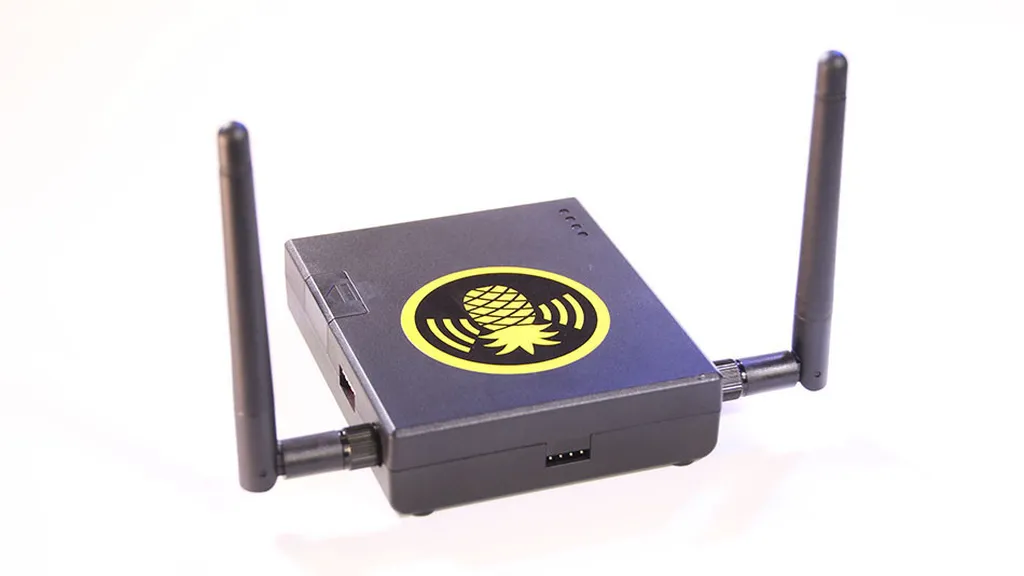
The threat model has shifted, because the risk isn’t a guy with a Wi-Fi Pineapple in a backpack anymore. It’s a compromised gateway at your hotel that you can’t detect, serving forged DNS to every device that joins, possibly operated by someone borrowing APT28’s playbook, whether or not they have the skills to match it. Treat every network in Vegas as hostile by default, not because you’re paranoid, but because the attacks finally caught up to the paranoia.